1/3
3 Years of Service
That gives me hope.
I saw trains in here... I don´t want to see it near me...
You must be registered to see attachments
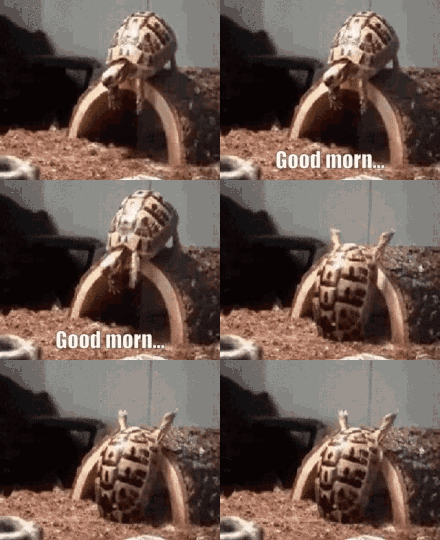
Oh look, another flare.Good morning everyone,
I just joined this to participate with my fellow leetcode (LC) grinders. Is this the right forum?You must be registered to see media

The conzi will be fed plentifully today.
You must be registered to see attachments
Ohhh.
There you are!
Where´ve you been.
Mothers worried sick. I had to things... to lighten her mood.

Ugh I hate when the end of the month is on a Thursday and I have to come in on Friday. I should get the day off paid to recover from the bs I always have to deal with.

At least the weekend is closer dude, cheer up.

Here's a small rundown I made, though it might need expanding... I shall add some edits.What are you guys using for your gif sources, giphy seems pretty limited in terms of what im looking for when i search for gifs
For base gifs:You must be registered to see linksor google. also, gelbooru, realbooru, sex.com too look up r rated gifs, just remember the rules when posting. Also, tenor uses slightly different urls for the same image but different qualities.https://media.tenor.com/ureIeP-iC1AAAAAM/did-you-do-it-what-did-it-cost.gifThe M at the end of the link denotes shitty quality, If you care at all about that, replace that M for a C (case sensitive) like so,https://media.tenor.com/ureIeP-iC1AAAAAC/did-you-do-it-what-did-it-cost.gif
For basic editing:You must be registered to see links
For adding heads with motion tracking:You must be registered to see links(this adds a watermark, you can do stuff to prepare the base beforehand with ezgif and then remove it with the same site afterwards.)
If I want to make a base gif because of source quality issues:
to grab stuff from youtube, you can select the quality.
to cut large videos (movies, shows) down to manageable clips, you can burn in subtitles into the clips.
to make higher quality base gifs than what ezgif usually provides. It's very basic and has some limitations but it can give you a nice file to then edit with ezgif and gifmemes. there's plenty of free tools out there, this is just the one I found that was lightweight and had what i needed even though it's basic/limited.
I wish today was a day off from work.
Arrived home during dawn from the work trip, only to go to work the next morning.
At least I'm coming in late, but I'd prefer not going at all. Hahaha

You're trying to use the media tool. that's mostly for the sites listed there. You want to use the "image" toolTenor seems to give me problems when I try to use them

You don't even need it actually, you can just drag and drop from another tab directly into the reply box.
Copy pasting doesn't work in certain desktop browsers like chrome. Drag and drop is the easiest.For me it does not move. Only when opened in a new tab...
I only download them if I want to edit them later, you can favorite gifs in tenor and have quick access to them without using your own storage.Download the gifs, then drag and drop them in.
That's what I do.

Attachments
You must be registered for see attachments list
Last edited: