1/3
3 Years of Service
we need a guide to know how to raise each stat. I'm stuck at level 1 with the exhibitionism.
Naked running in the park at night.

we need a guide to know how to raise each stat. I'm stuck at level 1 with the exhibitionism.

If you go at night to the park, then restroom, you should have an option to 'strip' leave restroom, then run.we need a guide to know how to raise each stat. I'm stuck at level 1 with the exhibitionism.


Just look closer and you'll find! At least I've found it, not that much content on that yet, but it's therewhich fileid goes with which field... i can't find bestiality or exhibitionism.
get biology to level 2 and the next time in class the quest should start that will access the forest from the streetim stupid, but how i can "explore forest"?
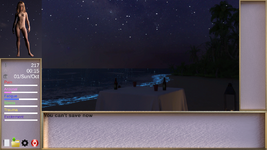
stay at the beach until 21:00 and the party option is available. continue to dance and it will raise exhibition. Don't let excitement get full or it can cause a bug. stop dancing, go back to the party and dance and your excitement resets back to 0. I am level 6 exhibition.which fileid goes with which field... i can't find bestiality or exhibitionism.
After I picked "dance" at the beach with exhib 5
did you rejoin the party nude? if so, that is a bug as well. you can choose to be nude on the beach after lvl 4 exhibition. always join the party with clothes. You will eventually have the option to strip naked while dancing at the party, but when you stop, leave the party, and rejoin, you will be clothed againAfter I picked "dance" at the beach with exhib 5:
I had no choice but to exit the game.

1. Download & Unzip.
2. Locate the "MacOS" folder. `~/Contents/MacOS`
3. Drag and drop the "MacOS" folder into the Terminal application.
4. Run the following command. `chmod +x "Lydia's New Life"`
- (If this step doesn't work, add `sudo` to the beginning of the command, then you'll be prompted to write your account password. Write it and click ENTER.
5. Navigate back to the directory containing the "Contents" folder.
6. Create a new file (this will be the game's name).
7. Place the "Contents" folder inside the new file.
8. Edit the new file's name and add `.app` to it.
9. You'll be prompted to "Add" or "Don't Add", click on "Add".
10. Run the game and enjoy!


This site provides links to other sites/services, and does not store any files