

1 Month of Service
- Allow others to update?
- no
- Developer Name
- WickedNexus
- Developer Links
- Version
- 1.1
- Latest Update
- Sep 5, 2026
- Release Date
- Sep 3, 2026
- Language
- English
- OS
- Windows
- Linux
- MacOS
- Android
Overview:
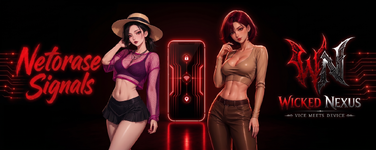
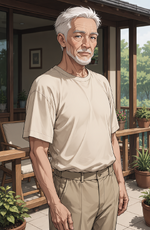
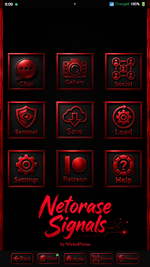
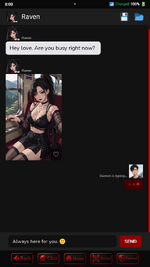
Netorase Signals is a Ren'Py phone chat game centered on three characters: Damon, a Boonforger capable of enchanting and enhancing modern equipment and even people; Raven, a succubus hybrid with Psychometric Touch, an ability that allows her to read minds; and Maya, a siren hybrid with Siren Pulse, an empathic ability that allows her to sense and amplify the emotions of others.
Together, the three form a loving relationship and explore a shared, consensual netorase fantasy - the desire to willingly share your partner with others. Set in a modern supernatural world, the game takes place in a society where humans coexist with hybrids and full-blooded supernatural species.
aicg, ai animation, animated, 2dcg, male protagonist, mobile game, big tits, big ass, corruption, exhibitionism, humiliation, groping, masturbation, oral sex, netorase, teasing, voyeurism, vaginal Sex
Extract and run
v1.1
v1.0 - Initial release
63 CGs and 14 Videos
20,000+ Words
Fixes & Save Repairs
1. Sentinel Incident Recovery
1. New “Bonus Content” Toggle
You now have complete control over whether you want to see locked previews for supporter bonus content!
Turned OFF (Default):
Enjoy a 100% clean and immersive story experience with no locked cards, popups, or story interruptions across your Gallery, Social Feed, Chat, and Sentinel apps.
Turned ON:
You’ll see non-intrusive preview cards showing where exclusive bonus content is available.
Easily Accessible:
You can toggle it ON or OFF at any time with a single tap from the top of the Settings screen, or directly inside the Gallery, Social, and Sentinel apps.
2. No More “Bonus Content” in Main Chats!
Going forward, you won’t see any locked images or videos in the main chats. The one image that was previously locked in the chats is now accessible to everyone, including in the Gallery.
Bonus content will now be exclusive to the Gallery, Social, and Sentinel incidents sections.
3. Use Keyboard Keys for Menus
You can now use your keyboard to navigate and select menu options.
1. Sentinel Incident Recovery
- Fixed an issue from v1.0 where some Sentinel incidents, such as Raven’s “Helping Hand” or Aelin’s “Kitchen Quicky,” could be missing from your Sentinel screen due to an exception caused by an incorrect thumbnail address.
- Automatic Save Repair: When you load an existing save, the game will automatically check the choices you’ve made in the story and restore any missing incidents and gallery unlocks directly to your logs.
- Fixed an issue where reloading a save or replaying chat dialogue could cause duplicate incidents or social posts to appear.
- Existing saves will be automatically cleaned up when loaded.
- All existing saves from version 1.0 are fully compatible with version 1.1.
- There is no need to restart your playthrough!
- Fixed an issue where bonus content could disappear for some players every time they launched the game.
- If your bonus content is still missing, you may need to relink your Patreon account once again.
1. New “Bonus Content” Toggle
You now have complete control over whether you want to see locked previews for supporter bonus content!
Turned OFF (Default):
Enjoy a 100% clean and immersive story experience with no locked cards, popups, or story interruptions across your Gallery, Social Feed, Chat, and Sentinel apps.
Turned ON:
You’ll see non-intrusive preview cards showing where exclusive bonus content is available.
Easily Accessible:
You can toggle it ON or OFF at any time with a single tap from the top of the Settings screen, or directly inside the Gallery, Social, and Sentinel apps.
2. No More “Bonus Content” in Main Chats!
Going forward, you won’t see any locked images or videos in the main chats. The one image that was previously locked in the chats is now accessible to everyone, including in the Gallery.
Bonus content will now be exclusive to the Gallery, Social, and Sentinel incidents sections.
3. Use Keyboard Keys for Menus
You can now use your keyboard to navigate and select menu options.
- Use the Arrow Keys or WASD to navigate through the options.
- Press 1, 2, 3, etc. to instantly select the corresponding option.
63 CGs and 14 Videos
20,000+ Words
You might know me by my previous name - NTRCreator
The game is primarily available for PC and Android. The Mac version has not been tested, but I’ll still include a download link for those who would like to try it.
The game is primarily available for PC and Android. The Mac version has not been tested, but I’ll still include a download link for those who would like to try it.
DOWNLOAD
Win/Linux:
Mac: - - - -
Android: - - - -





Win/Linux:
You must be registered to see links
-
You must be registered to see links
-
You must be registered to see links
- - Mac: - - - -
Android: - - - -

Last edited:


