


1 Year of Service
- Allow others to update?
- yes
- Developer Name
- SofthouseChara
- Developer Links
- Version
- 1.21
- Latest Update
- Jun 19, 2026
- Release Date
- Jul 30, 2010
- Language
- English (fan-translation)
- OS
- Windows
- Other Games

Overview:
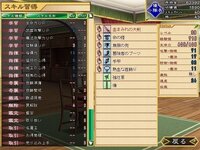
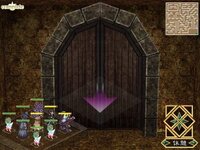
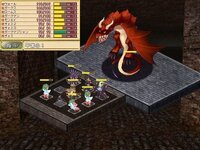
Dierks is a perverted adventurer entered a labyrinth known as the Maou’s forest and was defeated by the maou himself. But taking pity on him, the maou kindly recruited him as part of this demon army. Given a second chance, Dierks has two goals: to rise in the ranks of the demon army, and to defeat and have sex with those girls who come to attack the maou.
RPG ,Dungeon Crawling Game, ADV, Male Protagonist, High Sexual Content, Perverted Protagonist, Early Sexual Content, Demons, Rape, SRPG, Energy Transfer via Sex, Dragon, Group Sex of One Male and Several Females, Harem Ending, New Game Plus,
1- Extract to desired location.
2- Mount BUNNYBLACK.mdf using favorite program [eg. PowerISO]
3- Click install.EXE and install
4- Paste in your installed directory "Bunny Black English Patch v1.00.exe" in installed directory.
5- Run "Bunny Black English Patch v1.00.exe" in your installed directory
SKIP NO6. UNLESS SO ONE CAN FIGURE OUT WHY IT WONT PATCH
6- SKIP IT ""Bunny Black English Patch v1.20.exe" in your installed directory
7- Finally Copy all contents v1.21 into install directory
8- Click on Bunny.EXE to start playing.
Patch deletes the game exe
The patch isn't deleting the exe, your virus checker is flagging it as a virus and then removing it. Create an exception or use a less twitchy virus checker.
Game won't run (error messages in Japanese about creating saves)
The default install location is Program Files/bunny which depending on your OS, may or may not have administration issues. Run as admin or move the game folder to some other directory.
Windows 10:
1- Extract to desired location.
2- Mount BUNNYBLACK.mdf using favorite program [eg. PowerISO]
2.1- Extract all the files using PowerISO to wherever you please and go find those files.
2.2- Go into the install.exe properties and change to Win 7 compatibility mode before installing.
3- Click install.EXE and install
4- Paste in your installed directory "Bunny Black English Patch v1.00.exe" in installed directory.
4.1- Go into the patch exe and change to Win 7 compatibility mode.
5- Run "Bunny Black English Patch v1.00.exe" in your installed directory
SKIP NO6. UNLESS SO ONE CAN FIGURE OUT WHY IT WONT PATCH
6- SKIP IT ""Bunny Black English Patch v1.20.exe" in your installed directory
7- Finally Copy all contents v1.21 into install directory
7.1- Go into the Bunny.exe and change to Win 7 compatibility mode.
8- Click on Bunny.EXE to start playing.
2- Mount BUNNYBLACK.mdf using favorite program [eg. PowerISO]
3- Click install.EXE and install
4- Paste in your installed directory "Bunny Black English Patch v1.00.exe" in installed directory.
5- Run "Bunny Black English Patch v1.00.exe" in your installed directory
SKIP NO6. UNLESS SO ONE CAN FIGURE OUT WHY IT WONT PATCH
6- SKIP IT ""Bunny Black English Patch v1.20.exe" in your installed directory
7- Finally Copy all contents v1.21 into install directory
8- Click on Bunny.EXE to start playing.
Patch deletes the game exe
The patch isn't deleting the exe, your virus checker is flagging it as a virus and then removing it. Create an exception or use a less twitchy virus checker.
Game won't run (error messages in Japanese about creating saves)
The default install location is Program Files/bunny which depending on your OS, may or may not have administration issues. Run as admin or move the game folder to some other directory.
Windows 10:
1- Extract to desired location.
2- Mount BUNNYBLACK.mdf using favorite program [eg. PowerISO]
2.1- Extract all the files using PowerISO to wherever you please and go find those files.
2.2- Go into the install.exe properties and change to Win 7 compatibility mode before installing.
3- Click install.EXE and install
4- Paste in your installed directory "Bunny Black English Patch v1.00.exe" in installed directory.
4.1- Go into the patch exe and change to Win 7 compatibility mode.
5- Run "Bunny Black English Patch v1.00.exe" in your installed directory
SKIP NO6. UNLESS SO ONE CAN FIGURE OUT WHY IT WONT PATCH
6- SKIP IT ""Bunny Black English Patch v1.20.exe" in your installed directory
7- Finally Copy all contents v1.21 into install directory
7.1- Go into the Bunny.exe and change to Win 7 compatibility mode.
8- Click on Bunny.EXE to start playing.
DOWNLOAD
Win:
PATCHES
Patch v1.20:
Patch v1.21 Hotfix: -
Extra






Win:
You must be registered to see links
-
You must be registered to see links
PATCHES
Patch v1.20:
You must be registered to see links
- Patch v1.21 Hotfix: -
Extra


